
A Month of Budget Dinners From ChatGPT, Without the Chicken and Rice Loop
It usually starts the same way. Dinner has gone sideways one night too many, the grocery budget feels like it leaks, and somebody ends up searching for a chatgpt meal plan budget fix at the kitchen counter. The tempting move is to ask ChatGPT for the whole month in one go. Thirty dinners, one grocery list, problem solved, please.
That one giant ask is exactly where the trouble starts. Ask for a month at once and you get the format everyone complains about: chicken and rice wearing different hats, quantities drifting further from real life every week, and a plan the family is quietly sick of by week three. The fix is not a cleverer mega prompt. It is a smaller system: one theme frame, four weekly builds, and one running list that remembers what you already ate.
Key Takeaways
- Do not ask for thirty dinners in one prompt. Build the month as four weekly plans inside one theme night frame.
- The theme frame comes first: one prompt assigns each weekday a theme, so variety is built into the structure before any dinner is named.
- A pasted “already had it” list is the single habit that stops repeats, because the model cannot remember your month unless you hand it back.
- Grocery lists are built one week at a time, never for the whole month. Month scale quantities drift badly, and AI grocery totals are guesses.
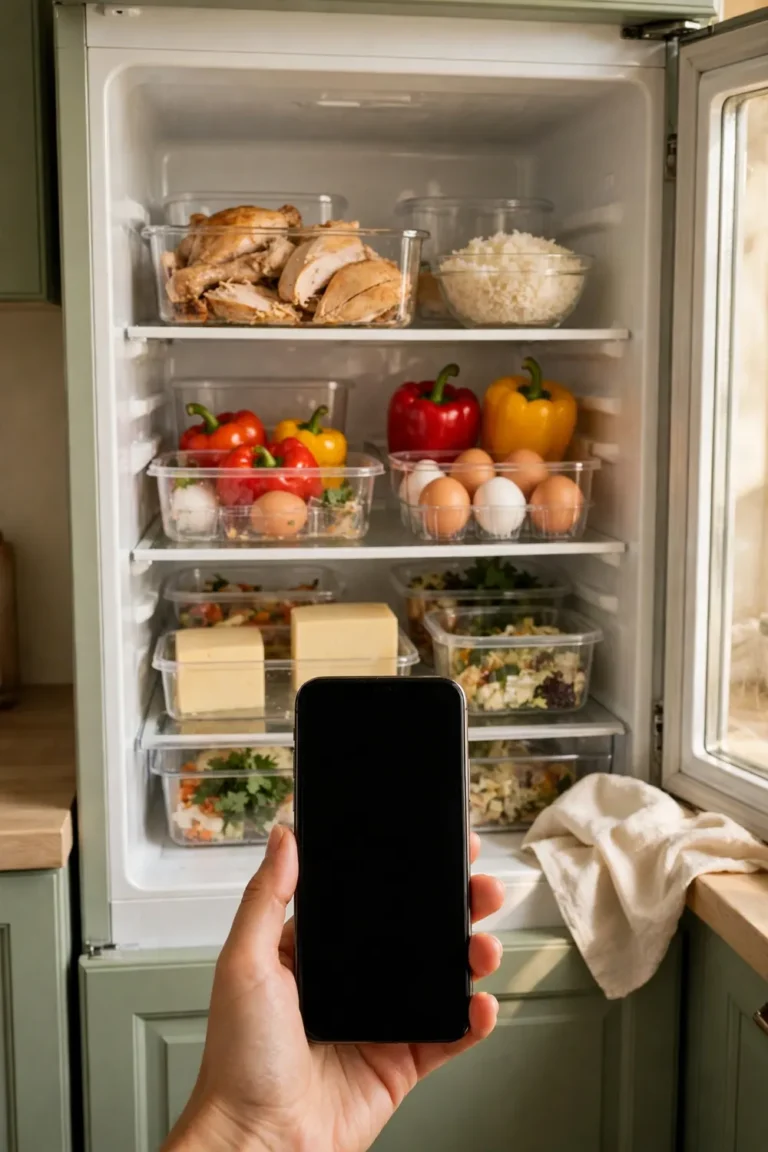
- One doubled batch dinner a week builds a freezer stash that rescues the nights nobody can cook, inside the same budget.
Can ChatGPT Plan a Month of Budget Meals Without Repeating Itself?
Yes, if the month is built in four weekly passes inside a theme night frame, with a running list of dinners already eaten pasted back each week. Asked for thirty dinners in one prompt, ChatGPT repeats proteins, drifts on quantities and loses track of its own suggestions by week three. Built weekly, the same free tool produces a monthly meal plan on a budget that feels like rotation instead of repetition, with grocery lists that stay close to real life because each list only covers five dinners.
Why One Giant Prompt Falls Apart
The failure is predictable once you see what the tool is doing. A chatbot plans from the words in front of it, and a month is simply too much for one answer to hold with care. The first week comes back bright and varied. Then the patterns take over.
Proteins repeat first. Chicken shows up in new costumes, then rice joins it, then a creamy sauce covers both. Quantities drift next, because the model is estimating amounts for thirty dinners at once and each estimate leans on the last. By week three the plan forgets the human part too: dinners nobody wants, on nights that were never going to work. And one gap hides in almost every month plan. Lunches are missing entirely, so midday eating becomes the unplanned spending the plan was meant to stop.
None of this means the tool is useless for ai menu planning. It means the month needs a frame.
Step 1: Set the Theme Night Frame

This is the signature prompt of the whole system, and it takes two minutes. Instead of asking for dinners, you ask for the shape of your weekdays. Paste this into the free version of ChatGPT, or into Claude or Gemini, and fill in the brackets with your household’s real life first:
Build me a month of weeknight dinner themes for [household]. Assign each weekday a theme that suits our life: Monday pasta, Tuesday tacos or wraps, Wednesday slow cooker, Thursday soup or stew, Friday homemade pizza or breakfast-for-dinner. Weekends stay flexible. We avoid [foods]. Budget target is about [$ amount] a week at [store]. For each theme, list three example dinners we like: [paste 2-3 family favourites per theme if known, or leave blank for suggestions].
What you get back is a weekday skeleton with example dinners under each theme. Pasta Monday alone gives the month four different pasta nights to rotate through, and the frame quietly guarantees that no two weeknights in a row ask for the same kind of cooking or the same protein.
What to check: the themes have to match your actual week, not an imaginary one. If Wednesday is your late night, the slow cooker belongs there. Swap any theme that fights your schedule now, because a frame you resent will not survive to week three. Weekends stay flexible on purpose. Leftovers, eating out, and real life need somewhere to land.
Step 2: Build One Week at a Time, Four Times
With the frame saved, the month gets built in four short sessions, one per week. This weekly build is where the chatgpt meal planning habit either holds together or quietly falls apart, and the difference is one list, covered in the next step. Run this prompt at the start of each week:
Using the theme frame above, plan this week’s five dinners. Do not repeat any dinner from this list of what we have already had this month: [paste running list]. Reuse ingredients across at least two dinners, keep weeknight cooking under [30] minutes except the slow cooker day, and end with one grocery list grouped by store section.
What you get back is five dinners fitted to your themes, ingredients doing double duty, and one grocery list grouped by store section for just those five dinners. That last part matters. A weekly list can be checked against your store’s real prices and your real pantry. A month long list cannot, which is why this system never builds one. Your ai meal planning assistant works best in week sized pieces, and the month is four of those pieces in a row. If you already use the weekly version of this method, nothing about it changes: the monthly system is that same week, repeated inside a frame, with a memory aid added.
Step 3: Keep an “Already Had It” List

This plain little list is the hardest working part of the whole plan. After each week, write down the five dinners you actually made, in a note on your phone or a page in a kitchen notebook. Next week, paste that running list into the weekly prompt where the brackets ask for it.
Here is why it is non negotiable. The model plans from what is in the conversation in front of it. In a fresh free chat, assume it has forgotten last week entirely. Even in a saved setup, the used list does the heavy lifting, because it records what your family really ate, including the busy night swaps that never appeared in any plan. Hand the month back every week, and repetition turns into rotation.
One shortcut: ChatGPT offers Projects, where a saved kitchen profile can hold who you cook for, your equipment, your pantry basics and your budget, so you stop retyping your household every week. It makes the build faster. It is optional, and the used list matters more than the profile does.
Step 4: Double One Dinner a Week for the Freezer

Every month has nights when cooking is simply not happening. The plan that survives those nights has a freezer stash, and this system builds it on purpose. Once a week, pick the slow cooker or batch friendly dinner and make double. The second half goes into containers, gets a name and a date on it, and waits.
Four weeks of that habit means four rescue dinners in the freezer by month’s end, made from ingredients already in the weekly budget. They are also the honest answer to the missing lunch problem: a doubled soup or stew rarely divides into perfect portions, and the odd leftover portion is tomorrow’s lunch instead of a bought one.
Two habits keep the stash safe. Cool cooked food promptly and get it into the fridge within two hours, then freeze what the week will not use. Work through the fridge portions first, within three to four days, and let the oldest freezer container always be the next rescue.
The Checks That Keep a Month Honest
A monthly plan needs a two minute review each week, before the grocery list becomes a shopping trip. Four checks catch nearly everything.
Theme drift
Left alone, the tool quietly swaps your themes. The slow cooker day migrates, soup night turns into a second pasta night, and the frame that created the variety dissolves. Compare each weekly plan against your frame and send back anything that wandered. One short correction in the same chat puts it right.
Budget arithmetic
Grocery prices from a chatbot are guesses. These tools are strong on ideas, structure and lists, and weak on numbers. If the plan quotes a tidy weekly total, treat it as a rough shape, not a promise. The real total is whatever your store’s cart says. Judge the plan by whether the dinners lean on cheap staples and repeating ingredients, and check the cart before you commit.
Dinners sneaking back
Even with the used list pasted in, a week one favourite occasionally reappears in week three wearing a new name. Skim the new plan against the list yourself. You are the memory of this system, and ten seconds of reading beats a household announcing they just had this.
Allergies and labels
If your household avoids foods for allergy reasons, this check outranks all the others. The tool can avoid the ingredients you name, and you must still read every recipe and label yourself. Treat the AI list as a draft, never as a safety check.
Step 5: Close the Month With a Review Prompt
At the end of the month, the system hands you one more thing a giant prompt never could: a next month that starts from what your family actually loved. Paste in your ratings and run this:
Here are the dinners we made this month and how the family rated them: [list with quick scores]. Build next month’s theme frame keeping the top-rated dinners in rotation, drop anything rated low, and suggest five new dinners that fit the same budget and themes.
What you get back is a refreshed frame with the proven dinners kept, the flops gone, and a small number of new ideas to test. What to check: the budget and avoid list should carry over word for word, and the new suggestions should still respect your weeknight time limit. Correct anything that slipped, save the frame, and the next month starts at Step 2.
Common Mistakes
- Asking for the whole month in one prompt. This is the mistake the whole system exists to fix. Thirty dinners at once means repeated proteins, drifting quantities and a week three nobody wants to eat.
- Building one grocery list for the month. Quantities on month scale lists drift badly, fresh food does not wait four weeks, and the total is fiction. Lists are weekly, always.
- Trusting the quoted grocery total. The number is a guess shaped like a fact. Your store’s cart is the budget check, not the chat window.
- Skipping the used list. Without it, you are relying on the tool to remember a month it cannot see. The paste takes twenty seconds and does more for variety than any wording tweak.
- Leaving lunches to chance. Dinner only plans create a midday leak. Map leftover portions to lunches, or add one line to the weekly prompt asking for two simple lunch ideas from the same ingredients.
- Doubling nothing. A month with no freezer backup collapses the first time a weeknight goes wrong, and the rescue becomes takeout. One doubled dinner a week is the insurance.
Frequently Asked Questions
The Honest Bottom Line
A chatgpt meal plan budget system that survives a whole month is not one heroic prompt. It is a theme frame that builds variety into the week, four small weekly builds, a running list that remembers what you ate, one doubled dinner a week for the freezer, and a short review that keeps next month honest. The free tool does the drafting. You do the remembering and the checking, which is the part that makes a monthly meal plan on a budget worth having. Dinner still needs a human. It just no longer needs a nightly decision.